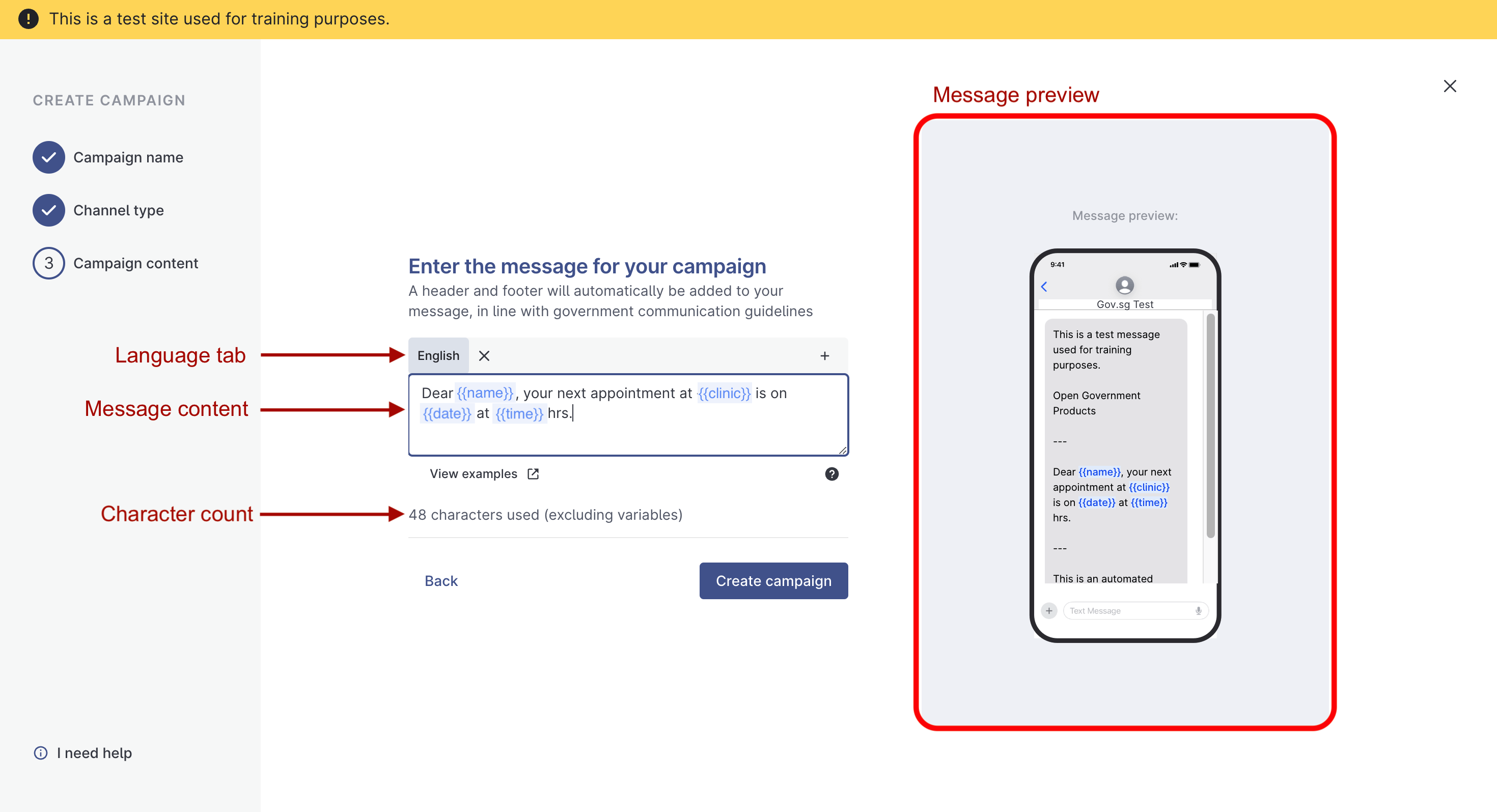
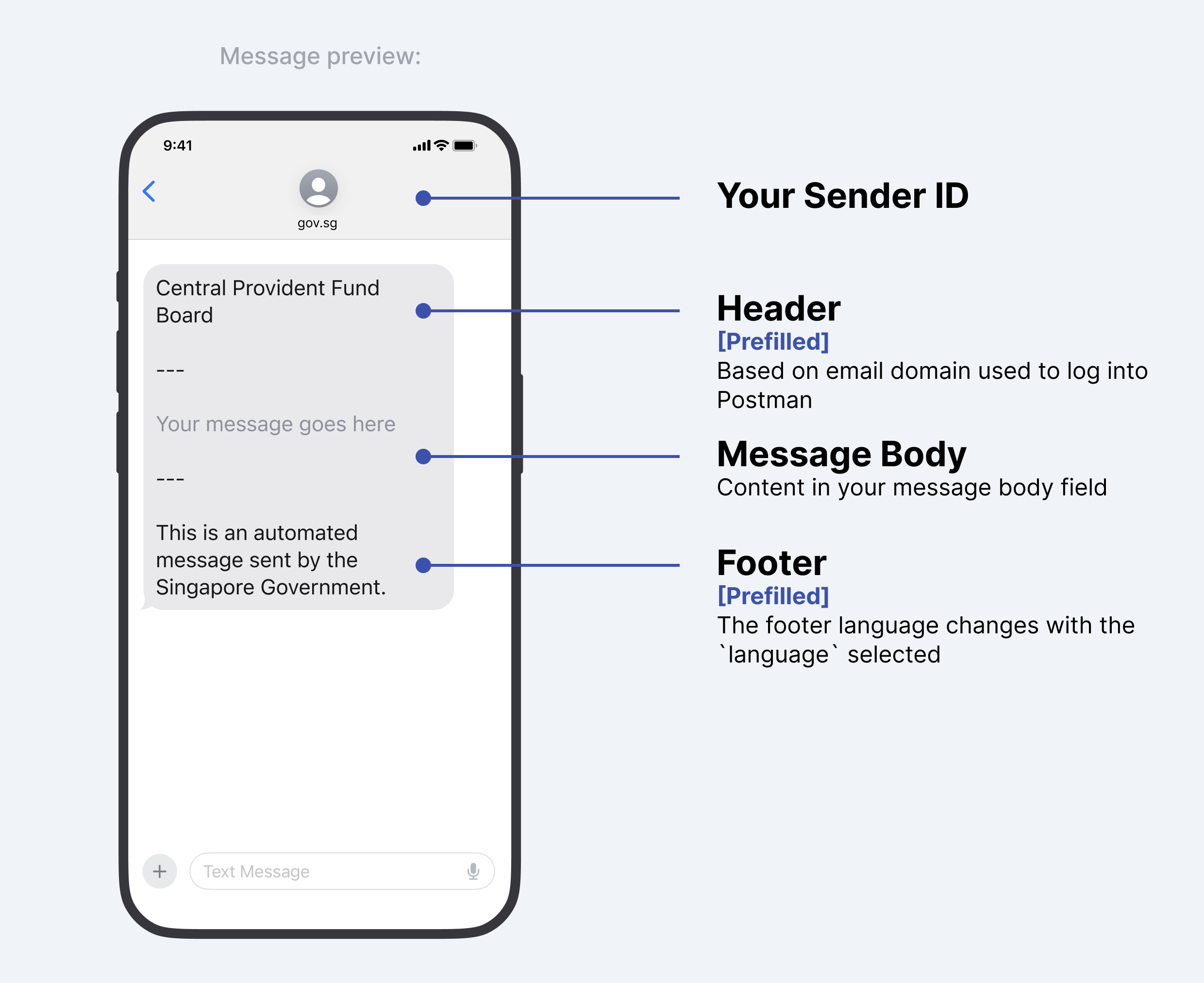
Message Preview
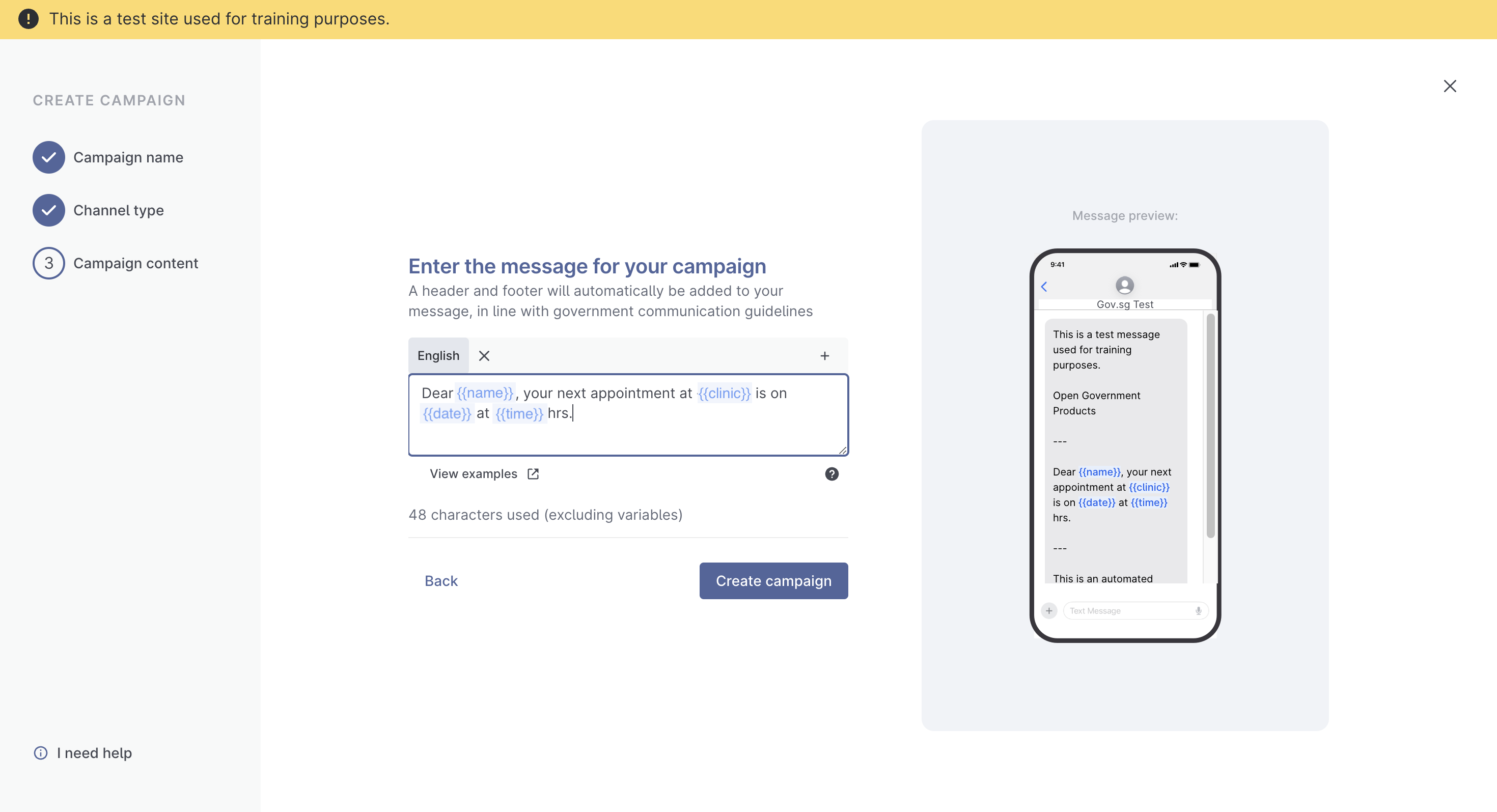
| Excluded/unsupported Characters | Description | Possible Replacements that Postman supports | Unsupported Unicode Character(s) |
|---|---|---|---|
| | vertical line and variants | I (uppercase i) | U+FF5C U+23B8 U+23B9 U+23D0 U+239C U+239F U+2223 U+20D3 U+20D2 |
€ | euro | EUR | U+20AC |
{ | left curly bracket and variants | ( | U+2774 U+FE5B U+FF5B |
} | right curly bracket and variants | ) | U+2775 U+FE5C U+FF5D |
[ | left square bracket | ( | U+FF3B |
] | right square bracket | ) | U+FF3D |
~ | tilde and variants | - | U+02DC U+02F7 U+0303 U+0330 U+0334 U+223C U+FF5E |
\ | backslash and variants | ' | U+29F9 U+29F5 U+20E5 U+FE68 U+FF3C |
` | backtick (note that this is not an apostrophe ' . You can find it to the left of the "1" on your keyboard) and variants | " | U+0060 U+02CB U+0314 U+FE11 U+02BD U+201B U+0314 U+FE11 |
‘ | acute accent and variants | ' | U+2018 U+2019 U+02BB U+02C8 U+02BC U+02B9 U+00B4 U+02CA U+0313 U+FE10 |
“ | double prime quotation mark and variants | " | U+301E U+02BA U+201F |
” | reversed double prime quotation mark and variants | " | U+301D U+02EE |
¬ | logical negation | - | U+00AC |
« | left-pointing double angle quotation mark | " | U+00AB |
» | right-pointing double angle quotation mark | " | U+00BB |
| ❝ or ❛ | heavy double/single turned comma quotation mark ornament | " | U+275D U+275B |
| ❞ or ❜ | heavy double/single comma quotation mark ornament | " | U+275E U+275C |
÷ | division sign | / | U+00F7 |
| ¼, ½ | vulgar fractions and variants | 1/4, 1/2 etc. | U+00BC U+00BD U+00BE |
| • | bullet point | - | U+2022 |
| ⊛, ✢, ✣, ✤, ✥, ✺, ❃, ⧆ etc | asterisk and variants | * | U+204E U+2217 U+229B U+2722 U+2723 U+2724 U+2725 U+2731 U+2732 U+2733 U+273A U+273B U+273C U+273D U+2743 U+2749 U+274A U+274B U+29C6 U+FE61 U+FF0A |
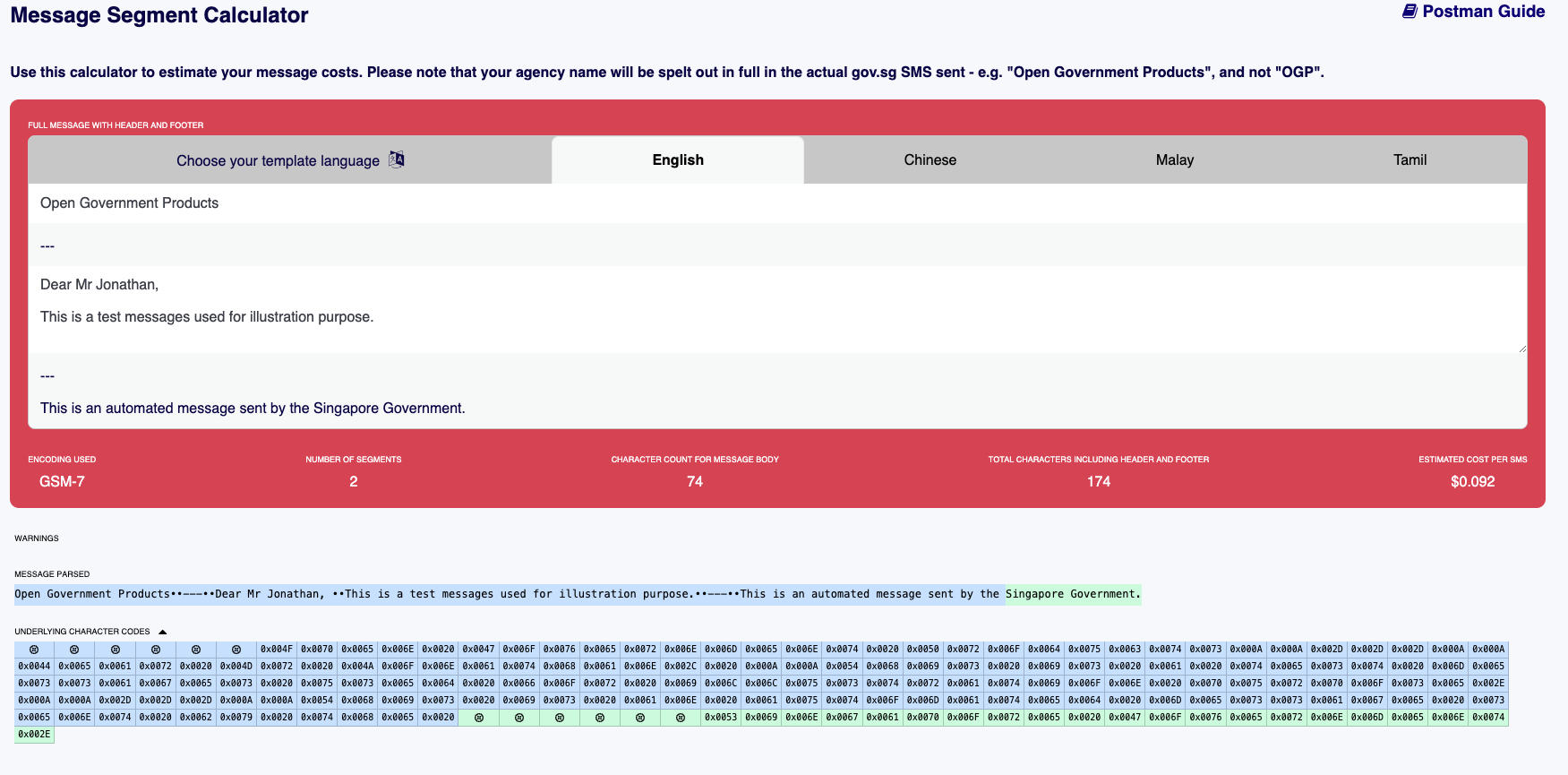

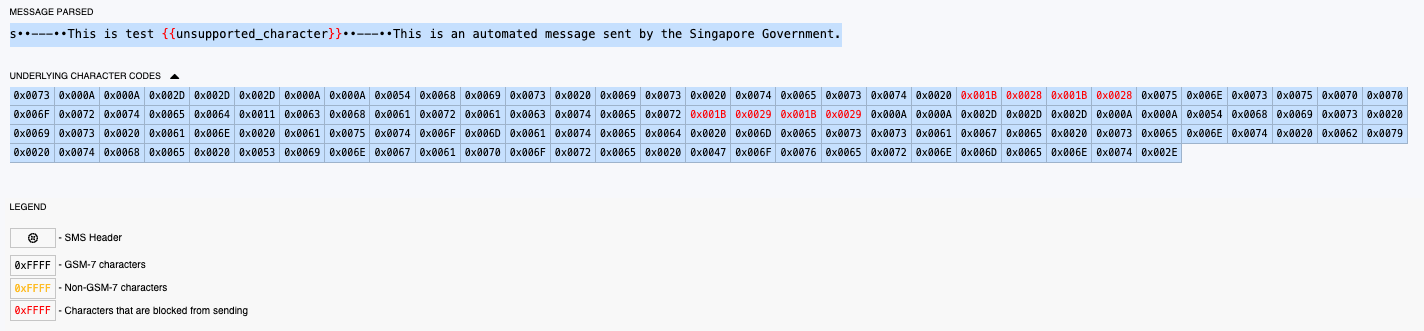

Blue blocks are considered as 1 segment and green blocks are considered as another segment