> For the complete documentation index, see [llms.txt](https://postman-v2.guides.gov.sg/llms.txt). Markdown versions of documentation pages are available by appending `.md` to page URLs; this page is available as [Markdown](https://postman-v2.guides.gov.sg/technical-users-api/send-smses-using-our-api.md).
# Send SMSes using our API
{% hint style="warning" %}
**Before calling Postman's API endpoints, please ensure:**
1. You have whitelisted your external IP address for this campaign.
2. You have entered the correct API key.
{% endhint %}
{% hint style="info" %}
**Planning a Large Campaign?**
If your campaign will send to more than 200,000 recipients, submit the [large campaign form](https://form.gov.sg/67a17d1adcc3e09f3a56003a) in advance so the Postman team can deconflict with other agencies and reserve your send date.
{% endhint %}
### Multiple message parameters (variables)
In this example, we will be using the following message content with multiple message parameters (variables).
```markup
Dear {{name}}, your next appointment at {{clinic}} is on {{date}} at {{time}} hrs.
```
#### Request Body example
{% code title="Example Request Body" %}
```json
{
"recipient": "6599999999",
"language": "english",
"values": {
// The following values are values for the parameters in the example template
"name": "John Doe",
"clinic": "Example Clinic",
"date": "11 Dec 2023",
"time": "11:30 am"
}
}
```
{% endcode %}
**CSV example for batch send**
{% code title="Example CSV for batch send" %}
```csv
recipient,language,name,clinic,date,time
6599999999,ENGLISH,John Doe,Example Clinic,11 Dec 2023,11:30 am
```
{% endcode %}
### **A**PI users who do not want to manage your message templates within Postman
If you are an API user that
* manages message templates within your own system
* uses Postman solely for sending out the full text of your message
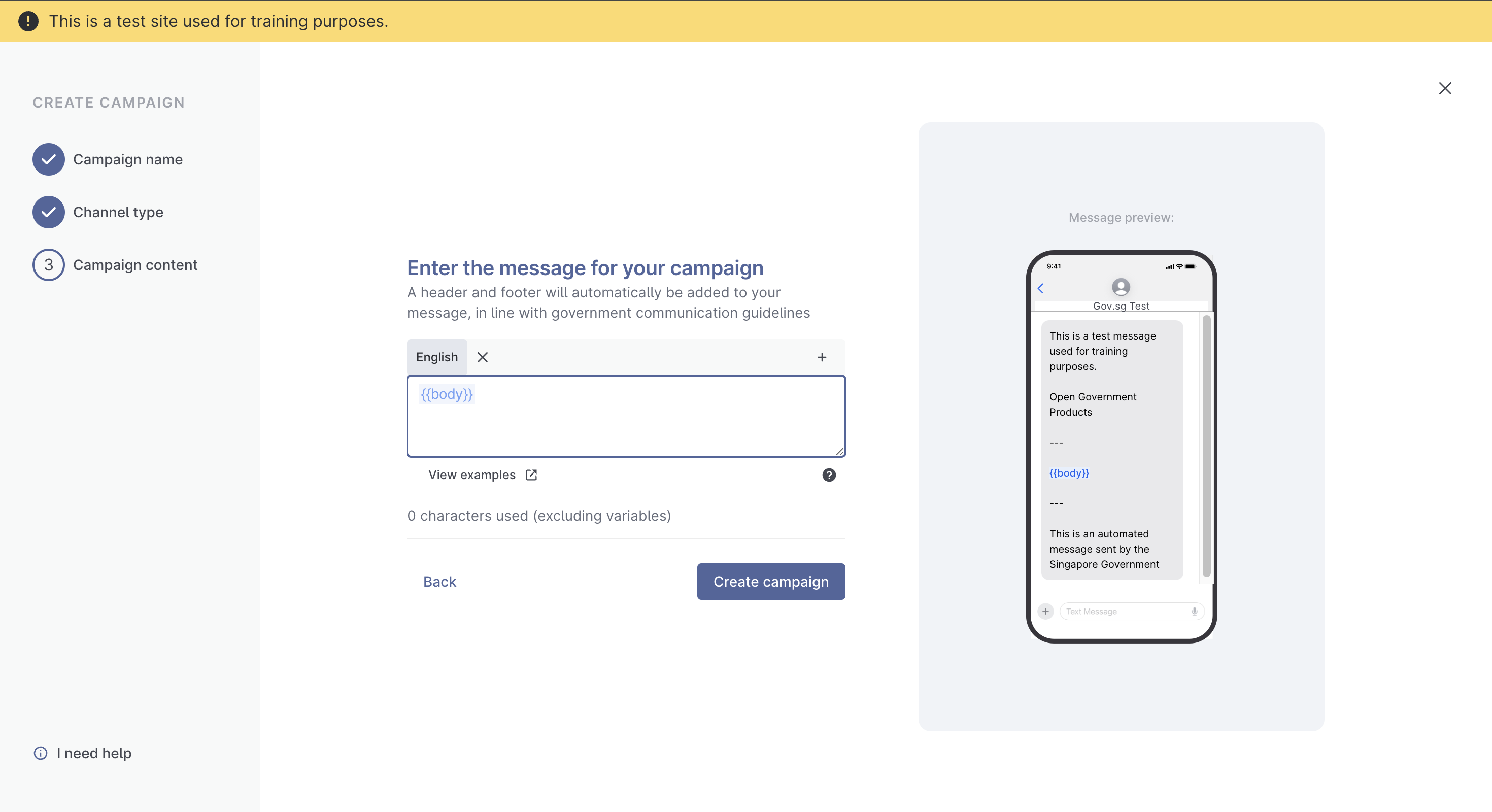
you may create a single variable, `{{body}}`, and insert the message into the `{{body}}` variable.
**Request Body example - single variable `{{body}}`**
{% code title="Example Request body" %}
```
{
"recipient": "6599999999",
"language": "english",
"values": {
// The following values are values for the parameters in the example template
"body": "Fill in your system constructed message here"
},
}
```
{% endcode %}
**CSV example for batch send - single variable `{{body}}`**
{% code title="Example CSV for batch send" %}
```
recipient,language,body
6599999999,english,"Fill in your system constructed message here"
```
{% endcode %}
### Line breaks in {{body}} messages
When formatting line breaks in your request body, please note the differences between
1. [Campaign template creation](#creating-line-breaks-in-campaign-message-template)
2. [CSV file for batch messages](#creating-line-breaks-in-message-body)
3. API request body
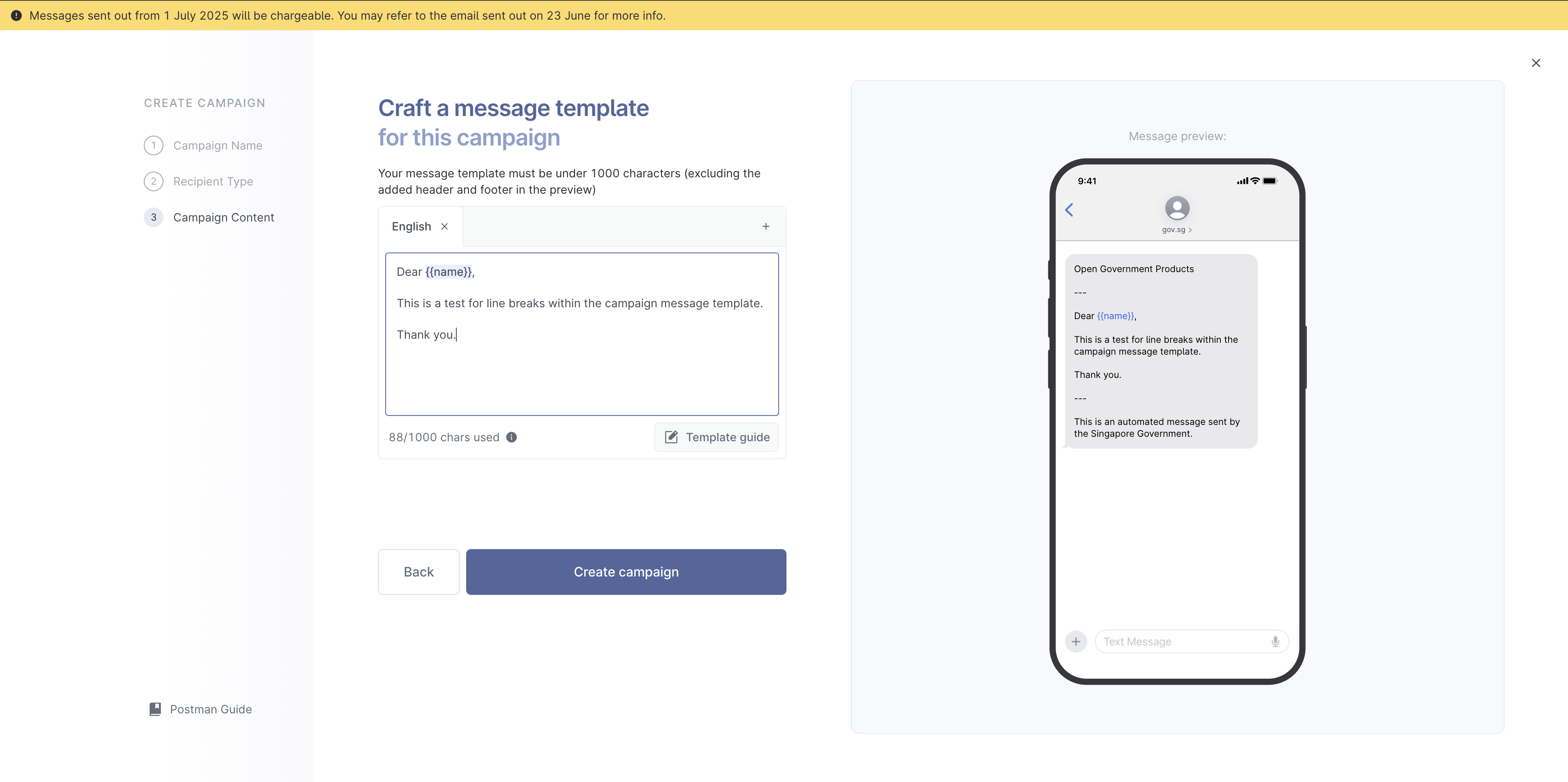
## Creating line breaks in campaign message template
If your campaign requires sending via single send with line breaks, we advise you to create the campaign message template with line breaks included, during the campaign creation stage.
## Creating line breaks in message body for batch messages
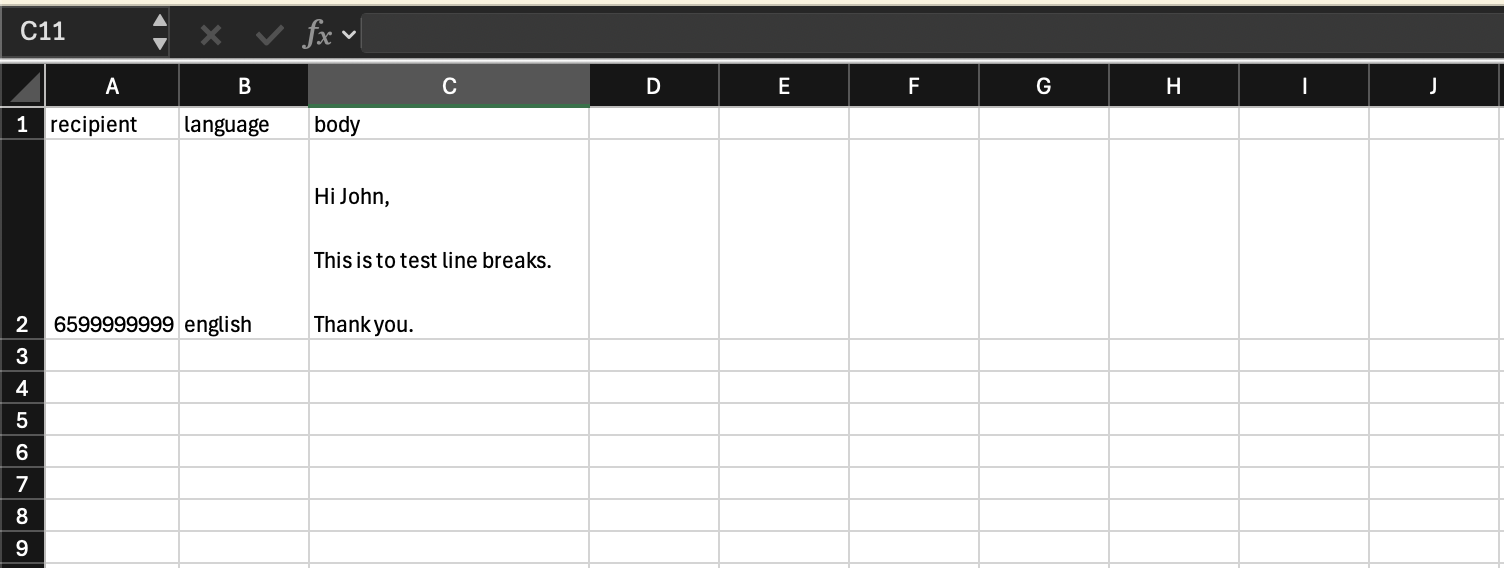
If your message template is already created, and you need to fill in message content with line breaks within the CSV file, use simple keyboard paragraphing to create the line breaks within your CSV file, then upload them.
Excel automatically adds `""` to your file after you have saved it as a .csv file.
As such, **do not** encase the message in the `{{body}}` variable in `""`.
Example of a CSV file
**Another example:**
{% code title="" %}
```csv
recipient,language,body
6591234567,english,"Dear Amy
Your appointment for VACCINATION is confirmed.
Please do not reply to this message."
6599999999,english,"Dear John
Your appointment for VACCINATION is confirmed.
Please do not reply to this message."
```
{% endcode %}
Your message in the `{{body}}` variable will need to be encased in `""` if you are creating messages from a text editor.
## Creating line breaks in API request body
If you are sending an API single send message, you can add `\n` into the **JSON** request body. **Do** make sure your request body is in **JSON** format or you will receive an error.
**Example:**
```json
{
"recipient": "6599999999",
"language": "english",
"values": {
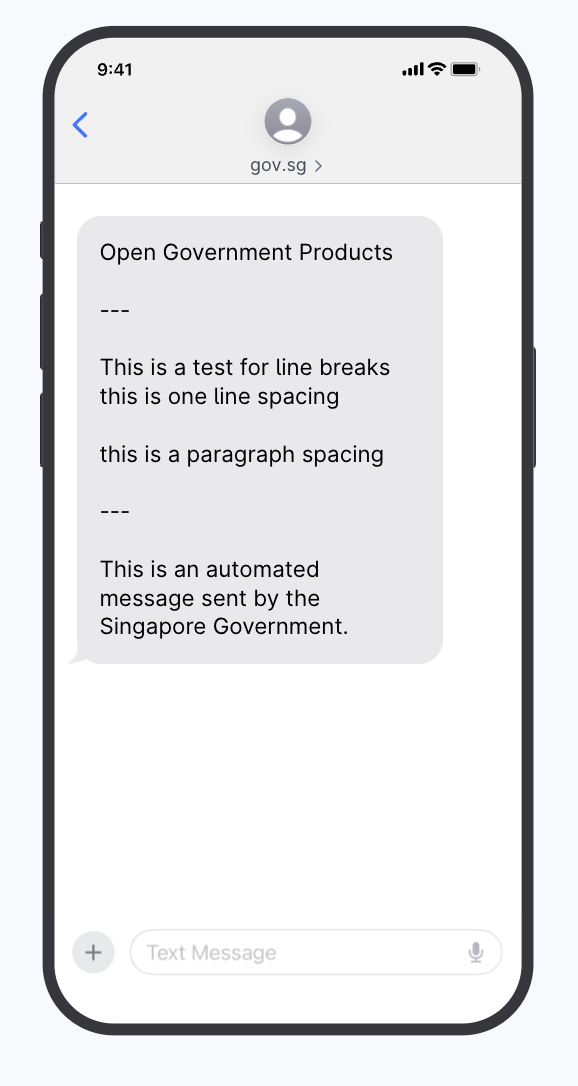
"test": "This is a test for line breaks \n this is one line spacing \n\n this is a paragraph spacing"
}
}
```
And your message should look like this:
If you are sending an API bulk send message, then use simple keyboard paragraphing to create the line breaks within your CSV file (see [above](#creating-line-breaks-in-message-body-for-batch-messages)).
### Postman Test Site limitations
{% hint style="danger" %}
**DO NOT** conduct load testing on our test site.
[Postman test site](https://test.postman.gov.sg/) has a .csv file limit of 20 rows to ensure no load testing is done on this site. More information [here](broken://pages/fjXUyXbaonk6JYsYpBsM) on load testing.
{% endhint %}
Postman's test site is meant for agency users to test out the platform. As such, you should test out the site like how you would send out messages to MOPs in a real scenario, where each number will only receive a single message.
**Multiple messages to the same user**
If you send test messages with exact same content to the same person multiple times in 1 sitting in the same campaign:
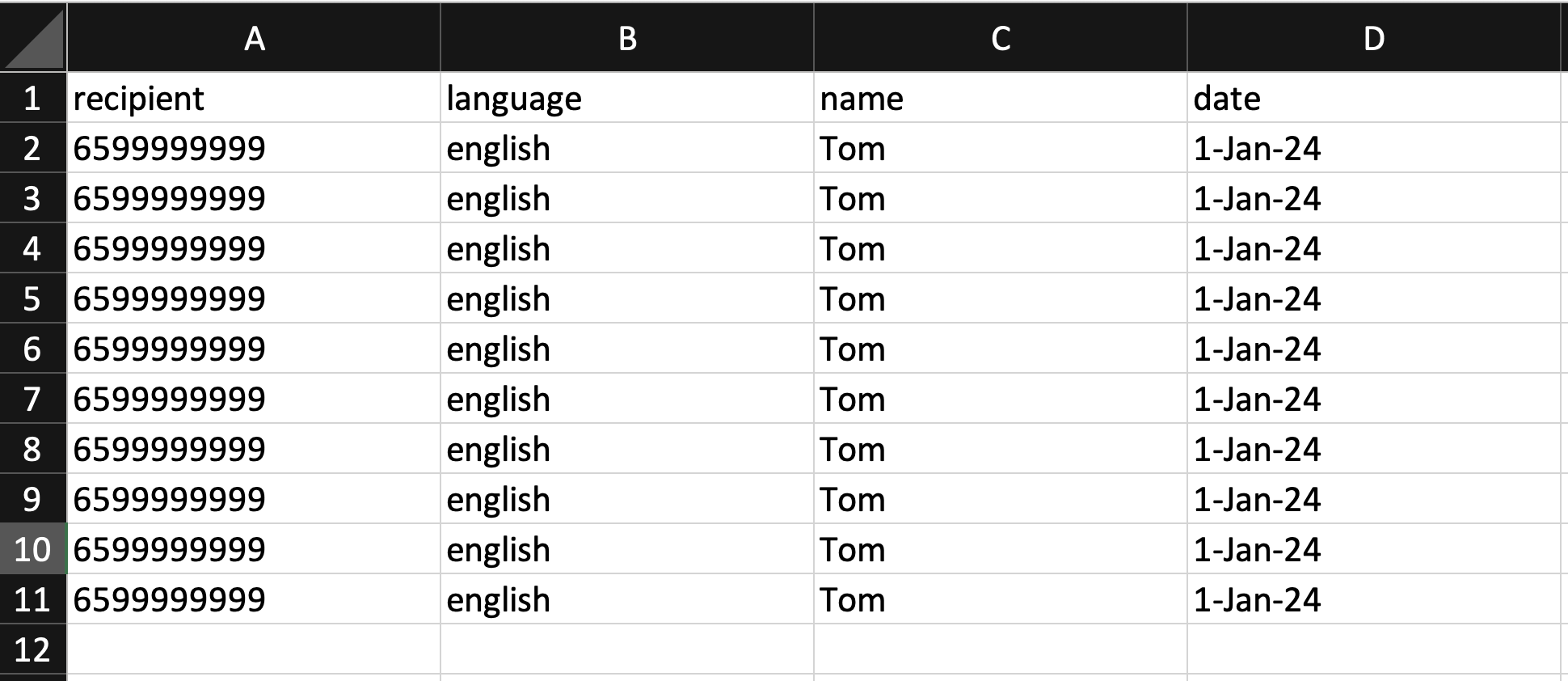
eg. "Hi your appointment is on 1 Jan 2024" was sent to Tom 10 times within 1 batch send.
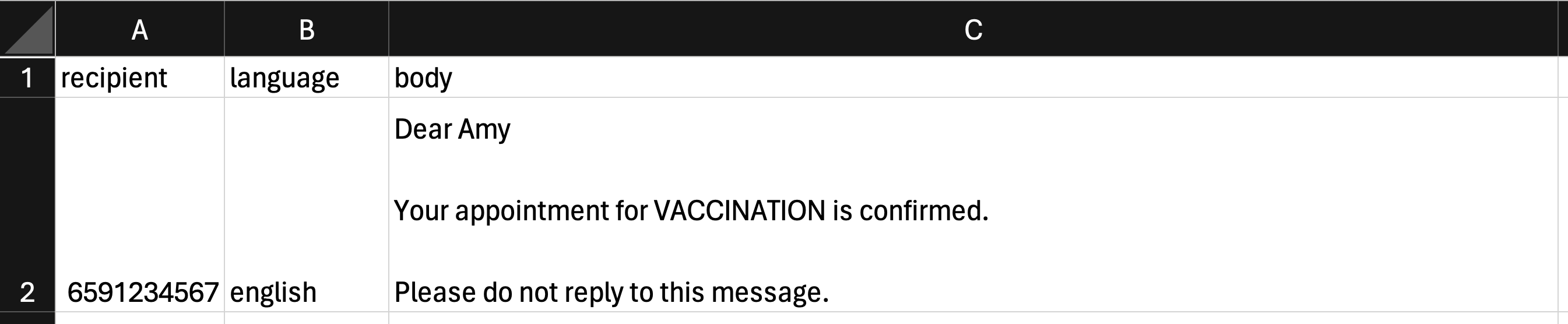
The telcos' automatic spam filter may be triggered . This means the message may not be delivered to Tom's phone at all, even though it will pass Postman’s send filters and status is reflected as `delivered`. See screenshot below on how the batch .csv is formatted in this failed example.
---
# Agent Instructions
This documentation is published with GitBook. GitBook is the documentation platform designed so that both humans and AI agents can read, navigate, and reason over technical content effectively. Learn more at gitbook.com.
## Querying This Documentation
If you need additional information that is not directly available in this page, you can query the documentation by asking a question.
Perform an HTTP GET request on the following URL with the `ask` and `goal` query parameters:
```
GET https://postman-v2.guides.gov.sg/technical-users-api/send-smses-using-our-api.md?ask=&goal=
```
`ask` is the immediate question: it should be specific, self-contained, and written in natural language.
`goal` is what the user is ultimately trying to achieve, the reason they need the answer. Sharing it helps GitBook give you a better, more relevant answer. A goal is most helpful when it describes the outcome the user wants rather than restating the question. For example, with `ask=how do I create an API token`, a goal like `automate deployments from our CI pipeline` lets GitBook tailor the answer to that use case.
The response will contain a direct answer to the question and relevant excerpts and sources from the documentation.
Use this mechanism when the answer is not explicitly present in the current page, you need clarification or additional context, or you want to retrieve related documentation sections.